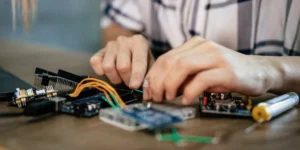
One of the hardest parts of electronics learning is not the parts themselves. It is the order. Beginners rarely struggle because a resistor is too complicated or a breadboard is too advanced. They struggle because they are introduced to too many things at once, with no clear sense of what should come first and what can wait until later.
A better approach is to think of electronics as a sequence of layers. First, you learn how a simple circuit works. Then you learn how parts shape that circuit. Then you learn how to measure what is happening. After that, projects start to feel less like guesswork and more like engineering. That is when real confidence begins to build.
This learning path is designed to make that progression clear. It is not about rushing into advanced builds. It is about learning the right concepts in the right order so each new project feels connected to what you already know.
Start With What A Circuit Actually Is
Before beginners worry about sensors, motors, or microcontrollers, they need to understand the basic idea of a circuit: electrical energy moves through a complete path. That sounds simple, but it is the foundation that makes every later topic easier.
At the beginning, the goal is not to memorize technical definitions. It is to understand that a circuit needs a power source, a path, and something that uses the energy. Once that clicks, many beginner problems become easier to diagnose. A light that will not turn on or a buzzer that stays silent is no longer “mysterious.” It is a question of whether the path is complete and whether the parts are connected correctly.
This is why the earliest projects should be simple and visible. An LED circuit teaches far more than it seems to, because it makes the invisible movement of electricity feel concrete.
Learn Breadboards Before Permanent Builds
A breadboard is one of the most useful beginner tools because it allows experimentation without soldering. You can place components, move wires, test ideas, and rebuild quickly. That speed matters because early learning is full of small adjustments.
Breadboards also teach a deeper lesson: physical layout matters. A circuit is not only a diagram on paper. It is also a real arrangement of rows, rails, and connections. Beginners who learn breadboards well usually become better troubleshooters later because they start noticing where power actually goes instead of where they assume it goes.
A good place in the learning path is to spend real time on small breadboard builds before trying to make anything permanent. That is how you build intuition without locking mistakes into soldered connections.
If you need a first practical step, a simple breadboard LED circuit is still one of the best starting points because it teaches power rails, polarity, and clean layout in one manageable project.

Understand The First Group Of Components
Once the idea of a complete circuit makes sense, the next step is learning the core parts that show up again and again. Beginners do not need every component category at once. They need the ones that explain the logic of basic circuit behavior.
Resistors teach control. LEDs teach polarity and output. Buttons and switches teach how a circuit changes state. Buzzers teach that outputs can be audible as well as visible. Batteries teach that power sources have limits and characteristics, not just voltage labels.
This is the point where electronics stops feeling like random objects in a kit and starts feeling like a system of roles. Each part has a job, and understanding that job is more important than collecting more parts.
Learn To Read Simple Diagrams And Wiring Plans
A beginner who can build only by copying photos will eventually hit a wall. A beginner who can read a simple diagram can keep learning independently.
This stage does not require advanced schematic fluency. It just means learning how to match a diagram to a physical build: where power enters, where current-limiting parts belong, where switches interrupt the path, and how outputs are connected. That translation from drawing to real circuit is a major step forward.
Reading diagrams also reduces fear. Instead of feeling like each project is a brand-new puzzle, you begin to recognize repeated patterns: series connections, parallel outputs, controlled inputs, and basic load behavior.
Start Using A Multimeter Early
A multimeter changes electronics from guessing to testing. That is why it belongs earlier in the learning path than many beginners expect.
Without a meter, troubleshooting often turns into swapping parts and hoping something changes. With a meter, you can check whether a battery is actually providing voltage, whether a connection is continuous, and whether resistance values match what you think they are. That makes every later stage of learning easier.
Many beginners assume multimeters are an “advanced” tool, but the opposite is true. They are one of the most beginner-friendly ways to understand what is happening inside a circuit. Learning voltage, continuity, and resistance testing early builds better habits than trying to reason everything out by sight alone.

Build A Small Set Of Repeatable Starter Projects
At this point in the learning path, the focus should shift from isolated concepts to short projects that reinforce them. The best beginner projects are not the most impressive ones. They are the ones that teach a reusable pattern.
An LED circuit teaches output and polarity. A buzzer alarm teaches triggering. A button-controlled circuit teaches input. A light-dependent or motion-triggered build teaches that circuits can respond to the environment.
The real value of these early projects is repetition with variation. You are not just making things blink or buzz. You are learning the architecture of a working circuit.
Learn Safe Habits Before Complexity Increases
Safety should not be treated as a separate “advanced topic.” It belongs inside the learning path from the beginning.
For beginners, safe electronics practice means working at low voltage, disconnecting power before changing wiring, checking polarity carefully, and being cautious with batteries, heat, and tools. These habits matter because they reduce both risk and frustration. A safe builder tends to be a more methodical builder, and that usually means fewer damaged parts and fewer confusing failures.
This is especially important for younger learners. Electronics should feel approachable, but it should also build respect for real energy and real tools.
Move From Outputs To Sensors
Once beginners understand simple outputs and control points, the next major step is sensing. This is where projects start feeling “smart” because they respond to conditions instead of only manual input.
Sensors are valuable in the learning path because they connect circuits to the physical world. A motion sensor reacts to movement. A light sensor reacts to brightness. A temperature sensor reacts to heat changes. These projects feel more advanced, but they are really just extensions of the same core idea: input changes output.
This stage is important because it changes how beginners think about circuits. Instead of seeing electronics as a fixed system, they begin to see it as something interactive and responsive.

Know When To Add Microcontrollers
Many beginners are introduced to electronics through Arduino or similar platforms. That can be useful, but it is most effective when it happens after the basics make sense.
A microcontroller adds flexibility, but it also adds abstraction. You can make an LED blink with code before fully understanding the resistor, the current flow, or the breadboard layout. That is why coding-first learning can feel exciting at first and confusing later.
The strongest path is usually to learn the basics of circuits first, then bring in a microcontroller as a tool for extending those ideas. When that happens, code feels like a new layer of control rather than a substitute for understanding hardware. A strong next-step reference for that transition is the Arduino starter guide, which helps bridge basic circuits into programmable builds.
Learn The Difference Between Prototyping And Final Building
A major part of beginner growth is realizing that not every circuit is meant to stay on a breadboard forever. Breadboards are ideal for learning and prototyping, but final projects often need stronger, more permanent connections.
This is where beginners start learning the difference between experimentation and commitment. A breadboard helps you validate an idea. A soldered build helps you keep it working reliably. That distinction becomes especially important once projects involve movement, repeated handling, or more demanding electrical behavior.
Understanding that progression helps beginners make better decisions about tools and materials as their projects become more serious.
The Learning Path In One Practical Sequence
The simplest way to think about the path is as a series of stages that build on each other.
| Stage | What To Learn | Why It Comes Here |
|---|---|---|
| 1 | What a circuit is | Establishes the idea of a complete path |
| 2 | Breadboard basics | Makes circuit building flexible and visible |
| 3 | Core components | Teaches the role of common parts |
| 4 | Simple diagrams | Helps translate ideas into builds |
| 5 | Multimeter basics | Replaces guessing with testing |
| 6 | Starter projects | Reinforces repeated circuit patterns |
| 7 | Safety habits | Supports all future work |
| 8 | Sensors and inputs | Introduces environmental interaction |
| 9 | Microcontrollers | Adds code after hardware basics exist |
| 10 | Soldered builds | Turns prototypes into durable projects |
The value of this order is that each stage answers a question the next stage depends on. That is what makes learning feel coherent instead of scattered.
What Beginners Should Not Worry About Too Early
A lot of frustration comes from trying to learn everything at once. At the beginning, you do not need to understand every transistor configuration, high-frequency behavior, PCB design workflow, or advanced power regulation concept.
Those topics matter later, but they do not belong at the center of the beginner experience. What matters first is learning the core patterns well enough that more advanced ideas have somewhere to attach. Electronics gets easier when knowledge is layered, not piled.
Progress Looks Smaller Than It Really Is
Beginners often underestimate how much they are learning from “small” projects. A simple light circuit, a buzzer build, or a sensor trigger project can feel basic, but each one is teaching wiring logic, debugging, component behavior, and system thinking at the same time.
That is why the learning path works best when it is respected as a progression. You are not stuck doing beginner work. You are building the habits that make advanced work possible.
The Best Learning Path Is One That Keeps You Building
A good beginner electronics learning path does not just teach concepts. It keeps momentum alive. Each stage should make the next one feel achievable, not intimidating.
That is the real goal: not to rush through a checklist, but to create enough clarity that your next project feels possible. Once that happens, electronics becomes much more than a collection of parts. It becomes a skill you can keep expanding, one build at a time.