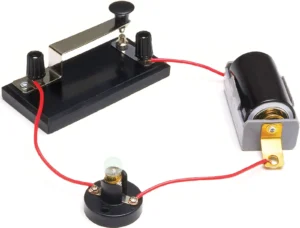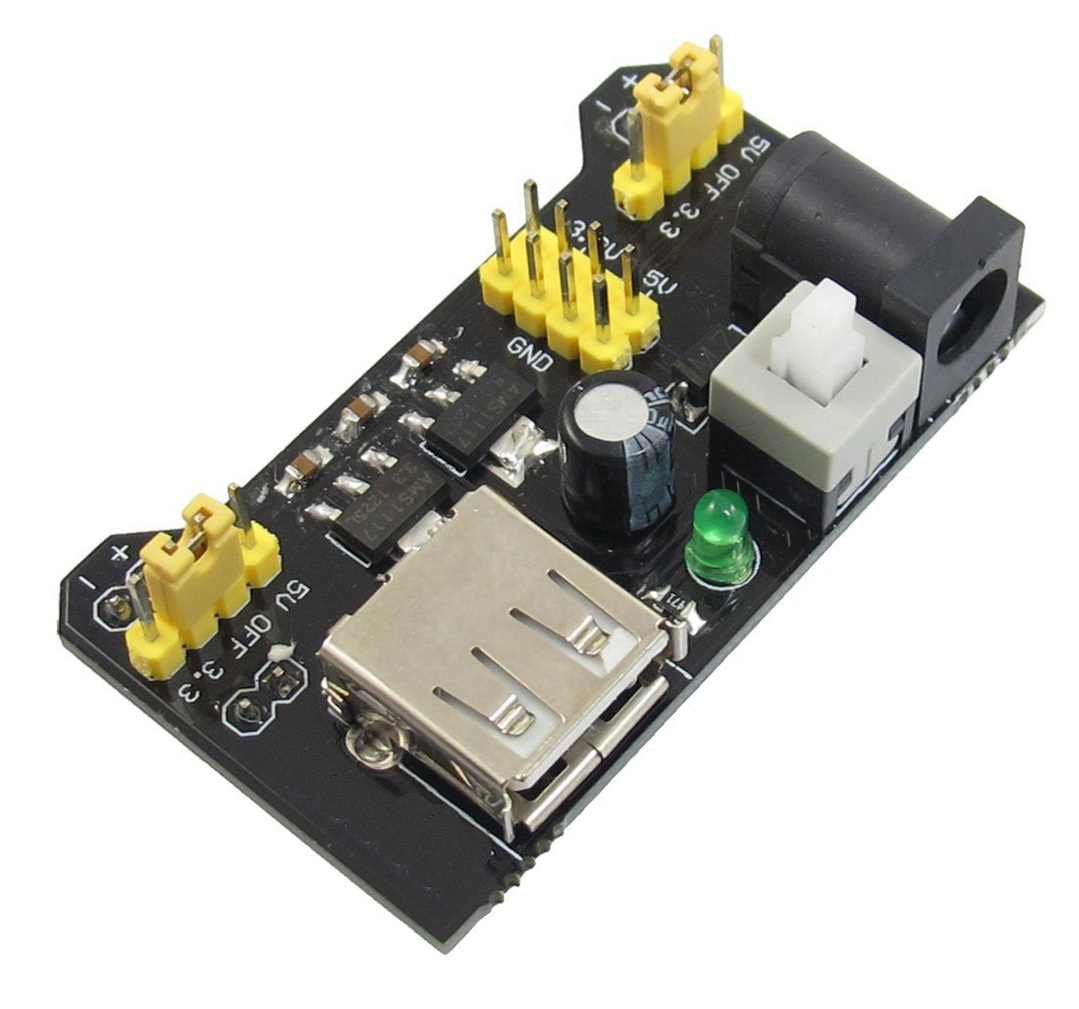
When you build beginner-friendly circuits—LED blinkers, small motors, buzzers, microcontroller kits, or breadboard experiments—your power choice matters as much as your wiring. The right power supply keeps parts safe, makes your project reliable, and prevents the “Why is nothing working?” frustration that usually comes from low voltage, weak current, or the wrong connector.
This power supply guide walks you through practical, kit-ready decisions: what voltage to pick, how much current you need, and which options are safest for learning builds.
Start with the basics: what a power supply actually does
A power supply provides two key things:
- Voltage (V) — the “push” that drives electricity through a circuit.
- Current (A or mA) — how much electricity can flow when your circuit asks for it.
A power supply’s job is to provide the correct voltage and enough available current for your project—without overheating, sagging, or shutting down.
If you need a refresher on the relationship between these terms, check out Battery Basics and Understanding Voltage, Current, and Resistance.
Step 1: Match the voltage your project expects
Most beginner kits and classroom builds fall into a few common “voltage families.” Your goal is to power your project at the voltage it was designed for.
Common beginner project voltages
- 3V (two AA batteries, coin cell projects, tiny LEDs/sensors)
- 5V (many microcontrollers, sensors, USB-powered boards)
- 6V (four AA batteries; small motors sometimes like this range)
- 9V (some beginner kits and snap circuits—use with care)
- 12V (LED strips, fans, some motor projects; less common for kids’ kits)
Practical rule
- Use the voltage listed on the kit, board, or component.
- If a range is given (example: “3–6V”), stay in the middle for safety.
Avoid “just trying a higher voltage.” Overvoltage is one of the fastest ways to permanently damage LEDs, sensors, chips, and motors.
Step 2: Estimate how much current you need (without overthinking it)
Voltage is what you must match. Current is what you must have enough of.
Here’s the key concept:
A power supply doesn’t “push” current into your circuit
Your circuit draws the current it needs. The power supply just needs to be capable of providing that amount.
So if your project needs 500 mA, using a 5V 2A adapter is generally fine—your circuit will still draw about 500 mA (assuming it’s built correctly).
Quick current guide for common parts
- 1 LED (with resistor): ~10–20 mA
- Small buzzer: ~20–60 mA (varies a lot)
- Microcontroller board (basic): ~30–200 mA depending on board + peripherals
- Servo motor: often 200–1000+ mA in bursts
- DC motor: can spike to several times its running current at startup
Practical rule
If your project includes motors, servos, or lots of LEDs, plan for higher current than you think—especially at startup.
Step 3: Pick the safest power source for the type of build
Different power supplies are “best” for different learning situations. Here are the most common options for kit builds and what they’re good at.
Option A: Battery packs (great for beginner safety)
Best for: portable builds, simple LED projects, basic sensors, low-power kits
Pros
- Simple and usually safer (lower voltage)
- No wall outlet needed
- Easy for classrooms and quick demos
Cons
- Voltage can sag as batteries drain
- Some batteries can’t provide strong current for motors/servos
- 9V rectangular batteries are especially weak for motors
If you’re choosing between batteries and wall power, start with <a href=”/battery-basics/”>Battery Basics</a> so you understand capacity, chemistry, and why some batteries “die” faster in high-current projects.
Tip: For beginner motor builds, AA battery packs usually outperform 9V snap batteries.
Option B: USB power (5V) (perfect for microcontrollers)
Best for: Arduino-style boards, Raspberry Pi Pico-type projects, sensors, low-power breadboards
Pros
- Common, convenient, consistent 5V
- Many boards are designed for USB power
- Easy to swap between computer USB and wall USB adapters
Cons
- Not all USB ports deliver the same current
- Cheap cables can cause voltage drop
- Motors/servos can brown out your microcontroller if sharing power poorly
Tip: If your microcontroller resets when a motor starts, it’s often a current spike issue, not “bad code.”
Option C: Wall adapters (AC-to-DC) (great when you need stable power)
Best for: projects that run for a long time, LED strips, 12V devices, stronger motors
Pros
- Stable voltage for long builds
- Can provide higher current than many batteries
- Ideal for desk setups and classroom stations
Cons
- Needs careful selection (correct voltage + polarity + connector)
- Cheap unregulated adapters can be risky for sensitive electronics
- Not as “kid-proof” as batteries unless supervised
Tip: Choose adapters that are clearly labeled DC output, with the exact voltage you need, and a current rating higher than your project’s draw.
Option D: Bench power supplies (best for experimenting and learning)
Best for: classrooms, labs, testing unknown circuits, troubleshooting
Pros
- Adjustable voltage and current
- Often includes current limiting (a safety superpower)
- Great for learning how voltage affects a circuit
Cons
- More expensive and less portable
- More settings = more ways to misconfigure (at first)
Tip: If you have access to a bench supply, use current limiting like training wheels—set a safe max current while prototyping.
Step 4: Learn the three label checks that prevent most mistakes
Before you plug anything in, check these three things:
1) Output type: AC vs DC
Most electronics projects need DC power. Adapters should say something like:
- Output: 5V DC
or show the DC symbol (a solid line over a dashed line).
If it says AC output, it is not appropriate for most beginner breadboard electronics.
2) Polarity (center-positive vs center-negative)
If you’re using a barrel connector adapter, polarity matters. Many are center-positive, but not all. The label usually shows a polarity diagram.
Wrong polarity can damage components instantly.
3) Connector size and fit
Even if voltage/current are correct, the connector must fit your board or device. If you’re unsure, choose a power option designed for your kit (USB or the recommended adapter).
Step 5: Understand “regulated” power and why it matters
Some older or very cheap adapters can output a higher voltage than the label suggests when lightly loaded. Sensitive electronics (microcontrollers, sensors, ICs) prefer a regulated supply that stays close to its rated voltage.
Practical rule
For beginner electronics:
- Prefer USB power or a regulated DC adapter.
- Avoid mystery adapters from the “random drawer” unless you can verify them.
Step 6: Keep projects safe with these simple habits
Power problems aren’t just about “working”—they’re also about heat and safety.
Safe power habits for kit builds
- Start low, then scale up. If a device supports 3–6V, try 3V first.
- Use resistors with LEDs. Most LED damage is from skipping this step.
- Don’t power motors directly from a microcontroller pin. Use a driver/transistor module.
- Separate motor power from logic power when possible (shared ground, separate supply).
- Watch for heat. Warm is a warning sign. Hot means stop.
If any of this feels fuzzy, revisit Understanding Voltage, Current, and Resistance—it makes troubleshooting much easier.
Quick recommendations for common beginner scenarios
“I’m building a basic breadboard project with a few LEDs and a sensor.”
- Use AA battery pack (3–6V) or USB 5V if your board supports it.
- Current needs are usually low (tens of mA to a couple hundred mA).
“I’m powering a microcontroller and some sensors.”
- Use USB 5V (wall USB adapter or computer).
- If adding a motor/servo, consider a separate power source for the motor.
“My project includes servos or motors.”
- Use a supply that can handle current spikes (AA pack or a DC adapter with extra current headroom).
- Plan for at least 2–3× the running current for startup spikes.
“I need something that runs for hours without dying.”
- Use a regulated wall adapter (DC) with the correct voltage and extra current capacity.
A simple power supply checklist (printable mindset)
Before you power up, ask:
- ✅ Does my project expect this voltage?
- ✅ Is my supply DC, not AC?
- ✅ Can it provide enough current (with headroom)?
- ✅ Are polarity and connector correct?
- ✅ Do I have proper protection (resistors, drivers, no direct motor-to-pin)?
Get those right, and most beginner projects “mysteriously” start working the first time.