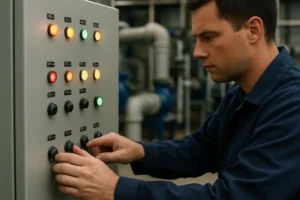
Electronics is one of the best “learn-by-doing” hobbies because progress is visible: an LED lights up, a buzzer chirps, a motor spins. But the same thing that makes electronics exciting—real energy flowing through real parts—also means you need a few safety habits from day one.
The good news is that most beginner projects can be made extremely safe. If you stick to low-voltage power sources, learn a few simple rules about batteries and heat, and build a workspace that prevents accidents, you can explore confidently without turning every project into a risk.
This guide focuses on practical safety for kids (with adult supervision) and beginners of all ages. It’s not about fear. It’s about building smart routines so you can focus on learning.
Start With The Right Power Level
The safest electronics learning happens at low voltage. In most beginner projects, that means battery packs and USB power rather than anything connected to household wiring.
A useful rule: if a project can run from AA batteries, a coin cell (with caution), or a regulated 5V supply, it’s usually in the “beginner-safe” category when handled responsibly. You can still make mistakes at low voltage—short circuits can heat wires, batteries can get hot, and components can burn out—but the risk profile is dramatically lower than working with higher voltage sources.
If you’re still building your intuition for what “power” means in a circuit, it helps to understand the basics of flow and load before you start chaining parts together. A simple explainer like how power flows makes it easier to predict what will happen when something is wired incorrectly.
Batteries Are Safe—Until They Aren’t
Batteries feel harmless because they’re common, but they deserve special respect in beginner electronics. The main risks are overheating from short circuits, incorrect charging, and physical damage.
Short circuits are the big one. If the positive and negative terminals get connected with very low resistance (for example, by a wire or metal tool), the battery tries to dump a lot of current fast. That current becomes heat in the wire, the battery, or both.
For kids and beginners, battery safety is mostly about preventing that “direct short” scenario and using the correct battery type for the project.
What To Teach Early About Batteries
You don’t need advanced theory to be safe. You need predictable habits:
- Keep battery terminals from touching metal objects (coins, keys, paperclips).
- Never mix old and new batteries in the same pack.
- Don’t mix different battery types (alkaline and rechargeable) in the same device.
- If a battery gets hot, smells odd, leaks, or swells, stop using it and ask an adult for safe disposal guidance.
Coin cells deserve an extra note: they’re common in small projects and kits, but they’re a serious ingestion hazard for young kids. Treat them like “adult-only” parts unless your learner is old enough for strict handling rules.
Build A Workspace That Prevents Accidents
Safety is easier when your environment is set up to make the safe choice the default choice.
A good beginner electronics workspace is bright, stable, and uncluttered. It’s not just about comfort. Clutter is how you end up with loose wires crossing power rails, metal scraps near batteries, and tools sitting where someone can bump them.
A reliable setup includes a non-slip surface, a small container for parts, and a defined “hot zone” if soldering tools are present. If kids are working, the most important safety factor is supervision and clear rules about what they can touch and when.
Use A Breadboard Safely
Breadboards are excellent for beginners because they reduce the need for heat and permanent connections. But breadboards can still create safety issues when power is applied carelessly.
The most common beginner breadboard mistake is misusing the power rails or accidentally bridging rows with stray wire strands. This can cause overheating, melted insulation, or damaged components—especially if the power source can deliver more current than the circuit needs.
A safe breadboard habit is to build in “layers”:
- place components and wires with the power disconnected
- visually inspect your rails and connections
- apply power briefly and watch for heat, smell, or unexpected behavior
- disconnect power before making changes
That rhythm reduces accidents because it removes the temptation to “adjust wires while it’s live,” which is where most beginner mistakes happen.
Know The Most Common Hazards And How To Prevent Them
Most electronics accidents for beginners come from a small set of predictable hazards. When you can name them, you can prevent them.
Here’s a simple reference table you can keep in mind as you build.
| Hazard | What It Looks Like | Why It Happens | Safer Practice |
|---|---|---|---|
| Short circuit | Battery or wire gets hot, parts fail quickly | + and – connected too directly | Inspect before power, avoid loose wires, use current-limiting parts |
| Reversed polarity | Circuit doesn’t work, components heat or fail | + and – swapped on polarized parts | Double-check battery clips and marked component leads |
| Overheating components | Burnt smell, discoloration, too hot to touch | Too much current or wrong resistor value | Use correct resistor values, avoid powering unknown circuits |
| Tool injuries | Cuts, punctures, burns | Slipping tools, exposed tips, hot irons | Eye protection, stable work surface, clear tool rules |
| Soldering fumes | Irritation, headaches | Poor ventilation | Use ventilation and avoid hovering directly over solder smoke |
| Loose metal scraps | Random shorts, intermittent failures | Clipped leads or wire strands on the desk | Clean as you go, keep a small trash cup for scraps |
The important point is that these hazards are not random. They usually come from rushing, clutter, or powering a circuit before it’s been checked.
Be Careful With Heat: Soldering, Hot Glue, And Components
Even if you aren’t soldering yet, beginner projects often involve heat sources: soldering irons, glue guns, heat-shrink tubing, or components that can warm up under load.
For kids, soldering should be introduced with strong structure: adult supervision, a stable iron stand, eye protection, and a firm rule that the iron is never set down directly on the table. Beginners also benefit from learning what a “good joint” looks like because bad joints can create reliability problems that tempt people to keep reheating and reworking connections.
If you’re not ready for soldering, that’s fine. Breadboards and pre-made jumper wires can carry you a long way. The goal is safe skill progression, not speedrunning into advanced tools.
Eye Protection Is A Smart Default
This is one of those habits that feels unnecessary until the day it matters.
Clipping leads, cutting wire, or snapping a stiff jumper wire can fling small pieces unexpectedly. Safety glasses aren’t a dramatic “lab-only” thing—they’re a simple way to prevent a rare but high-impact accident.
For kids, make it routine: glasses go on before cutting or stripping, and they stay on until tools are put away.
Learn The “Power-Off Rule” For Changes
A lot of beginner electronics troubleshooting happens while power is still applied. That’s when wires slip, pins get bridged, and mistakes turn into heat.
A strong rule that keeps projects safe is simple:
If you’re changing wiring, disconnect power first.
That one habit prevents most accidental shorts and protects parts. It also builds the mindset that electronics has a process, not just trial-and-error chaos.
Avoid Mains Electricity For Beginner Projects
This is worth stating clearly: household mains voltage is not a beginner learning platform. It’s a different category of risk.
Kids and beginners should stick to battery power and low-voltage regulated supplies. If a project eventually needs to interface with mains (like a lamp, appliance, or wall-powered device), treat that as an “advanced, supervised, and safety-certified” topic, not a casual weekend build.
Teach Troubleshooting That Doesn’t Create New Risks
When a circuit doesn’t work, beginners often respond by “adding more power” or randomly moving wires. That’s how mistakes compound.
Safe troubleshooting is slower but smarter: check your connections, confirm your power source, and validate assumptions one at a time. If you have a multimeter, you can confirm voltage where you expect it, instead of guessing.
A helpful mindset for kids is: “We don’t poke at it while it’s powered. We inspect first, then test.”
A Simple Safety Checklist Before You Turn It On
You don’t need long rules. You need a short checklist that becomes automatic:
Is the power source correct for this project?
Are polarity-sensitive parts oriented correctly?
Are there loose wire strands or clipped leads near the board?
Are you applying power only after you finish wiring changes?
Is anything getting warm unexpectedly within the first few seconds?
This is the difference between a safe learning experience and a frustrating cycle of blown components.
Safety Supports Confidence
Electronics should feel empowering. The safest learners are often the fastest learners because they aren’t constantly repairing preventable damage. They build cleaner circuits, they troubleshoot logically, and they progress to more complex projects without fear.
If you’re mentoring a child, the most valuable lesson isn’t a specific circuit. It’s the habit of respecting power, checking work, and using tools properly. That’s how kids become builders who can tackle bigger challenges safely.
For additional reference options included in your external linking list Group 3 anchor text, one relevant resource angle is patient advocacy and health literacy—the same principle applies in electronics: clear, accurate understanding reduces preventable harm.